
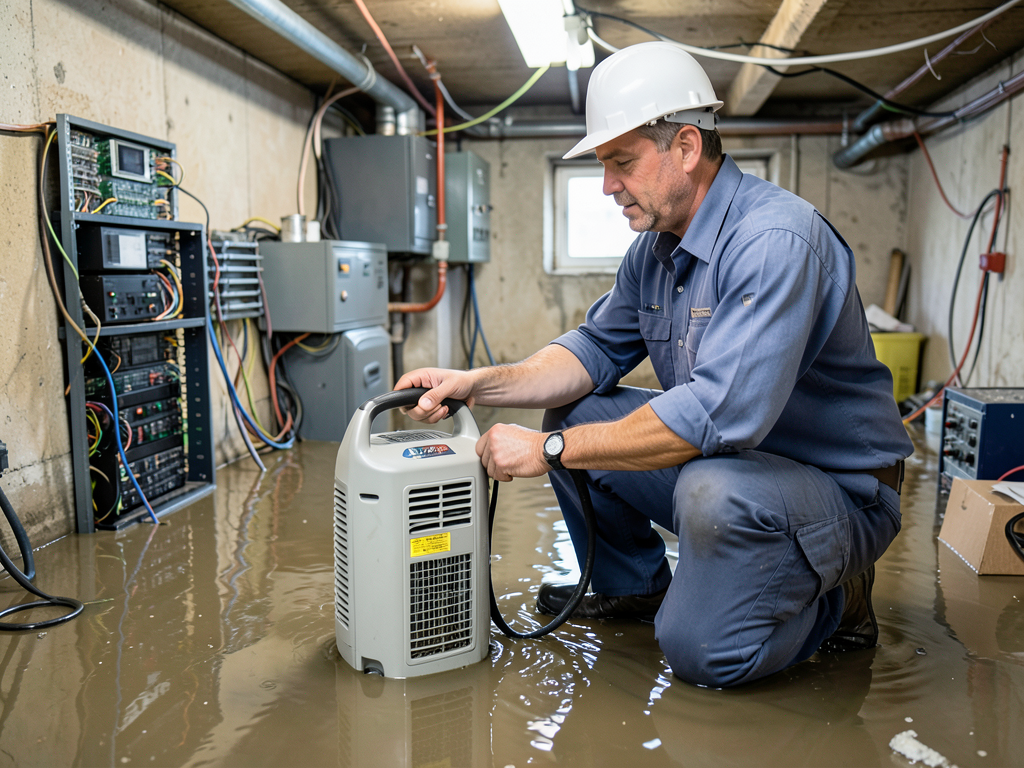
Keeping Your Electronics Safe From High Humidity After a Brighton Pipe Burst
When a pipe bursts in your Brighton home the immediate water damage grabs your attention. But the real threat to your expensive electronics often comes from the invisible moisture lingering in the air. High humidity can silently destroy circuit boards and data long after the visible water is gone. Getting immediate help for a burst pipe in your Back Bay brownstone.
Boston’s coastal climate already creates challenging conditions for electronics. Add a sudden pipe burst and you have a perfect storm for corrosion. Understanding how humidity damages your devices and knowing what to do immediately can save you thousands in replacement costs. How to handle a sudden sewage backup in your Somerville home.
How Humidity Destroys Electronics
Electronic devices operate best in environments with relative humidity between 30 and 50 percent. When humidity climbs above 60 percent several destructive processes begin. Water vapor condenses on cooler surfaces creating microscopic droplets that form conductive paths between circuits. These paths cause short circuits erratic behavior and permanent damage.. Read more about How High Humidity in the Summer Can Lead to Mold in Your Cambridge Apartment.
Beyond simple condensation the real danger comes from electrochemical migration. When moisture contacts the metallic traces on printed circuit boards it dissolves tiny amounts of metal. These metal ions move through the humid air and redeposit elsewhere creating unintended connections. This process accelerates dramatically in Boston’s salt-laden coastal air where chloride ions act as catalysts for corrosion.
Temperature plays a crucial role. As your home cools at night surfaces become colder than the surrounding air. When warm humid air contacts these cooler surfaces condensation forms. This temperature differential effect is why basement electronics face particular risk during Boston’s humid summers and after pipe bursts in winter. Steps to Take After a Flood.
The damage often appears gradually. Your computer might start with random crashes. Your television could develop dead pixels. Your gaming console may refuse to power on. By the time these symptoms appear the corrosion has often progressed beyond simple repair.
Immediate Steps After a Pipe Burst
The first 24 hours after a pipe burst determine whether your electronics survive. Time works against you as humidity levels rise and corrosion begins immediately.
Power down all affected devices immediately. Do not attempt to turn them back on even if they appear dry. Electricity flowing through partially corroded circuits creates heat that accelerates damage. Unplug everything from wall outlets including network cables and peripherals.
Move electronics away from standing water but do not seal them in plastic bags. Trapped moisture creates a greenhouse effect that worsens corrosion. Instead place devices in a cool dry area with good air circulation. If possible move them to a room with air conditioning as cooling helps prevent condensation.
Remove batteries from all devices including laptops and backup power supplies. Batteries can leak when exposed to moisture creating additional damage. For devices with sealed batteries like smartphones the moisture already inside poses the greatest risk.
Increase air circulation using fans positioned to blow across affected areas. This helps evaporate surface moisture and reduces humidity concentration around electronics. Do not use heat sources like hair dryers as rapid temperature changes can cause condensation to form inside sealed components.
Contact a professional water damage restoration company immediately. They have industrial dehumidifiers that can reduce room humidity from dangerous levels to safe ranges within hours. Every hour of delay increases the likelihood of permanent damage to your devices. Managing industrial water damage and flood cleanup in Chelsea.
Professional Restoration vs. DIY Recovery
Many homeowners attempt to save their electronics using household methods that often cause more harm than good. The famous rice trick for wet phones exemplifies this problem. Rice cannot reduce humidity levels and actually introduces starch dust that can contaminate circuits.
Professional restoration uses specialized equipment and techniques that achieve results impossible with consumer products. Industrial desiccant dehumidifiers can reduce relative humidity to 20 percent or lower. This extreme dryness halts corrosion and allows technicians to safely clean affected components. Professional sump pump failure cleanup for Newton homeowners.
Professional services also employ ultrasonic cleaning for circuit boards. This process uses high-frequency sound waves in a special cleaning solution to remove corrosion deposits without damaging delicate components. The cleaning solution often contains corrosion inhibitors that protect against future damage.
For valuable data recovery professionals use clean room environments and specialized tools. They can disassemble devices in dust-free conditions and recover data from drives that appear completely dead to consumers. This service proves essential for businesses that cannot afford data loss.
The cost comparison often surprises homeowners. Professional restoration typically costs 30 to 50 percent of replacement value. For a home office with multiple computers monitors and networking equipment this difference represents thousands of dollars in savings.
Boston’s Unique Climate Challenges
Boston’s location creates specific risks for electronics that homeowners in other regions never face. The city’s proximity to the Atlantic Ocean means salt particles constantly circulate in the air. These particles settle on electronics creating a corrosive film that accelerates damage when humidity rises.
Massachusetts building codes require specific moisture management in coastal areas. The Massachusetts State Building Code Section 780 CMR addresses humidity control in finished basements and requires proper ventilation in areas with electronic equipment. Many Brighton homes built before these codes lack adequate moisture barriers. Massachusetts State Building Code Section 780 CMR.
Winter pipe bursts create additional complications. When heating systems fail during cold snaps ice formation can crack pipes. When the ice melts and temperatures rise suddenly the combination of cold water and warm humid air creates perfect conditions for condensation on electronics.. Read more about What to Do When Your Fire Sprinkler System Goes Off by Mistake in a Boston Office.
Spring nor’easters bring another risk pattern. These storms often cause power outages followed by rapid temperature changes. When power returns and heating systems restart the temperature swings can cause condensation to form throughout homes. Electronics stored in closets or cabinets face particular risk as these enclosed spaces experience the most dramatic humidity changes.
Summer humidity in Boston regularly exceeds 80 percent. During these periods electronics in unconditioned spaces like attics garages or basements face constant corrosion risk. The problem compounds when homeowners run air conditioning in living areas but leave home offices or entertainment centers in unconditioned spaces.
Prevention Strategies for Home Offices
Preventing humidity damage requires understanding your home’s moisture patterns. Use a hygrometer to monitor humidity levels in areas where you keep electronics. When readings exceed 60 percent take action to reduce moisture.
Install humidity sensors that send alerts to your phone when levels become dangerous. These devices cost under $50 and provide early warning before damage occurs. Place sensors near your most valuable electronics including servers network equipment and backup drives.
Use silica gel packets in electronic storage areas. These desiccants absorb moisture and maintain safe humidity levels in enclosed spaces. Replace packets every six months as they become saturated. For larger areas consider reusable desiccant containers that change color when they need regeneration.
Ensure proper ventilation in rooms with electronics. Do not block air vents or place devices in enclosed cabinets without ventilation. Electronics generate heat that creates temperature differentials leading to condensation. Good airflow prevents these dangerous conditions.
Consider whole-house dehumidification for homes in humid areas. These systems connect to your HVAC and maintain consistent humidity levels throughout your home. While expensive they protect all your electronics and prevent mold growth in addition to protecting devices.
Regular maintenance prevents many problems. Clean dust from electronics quarterly using compressed air. Dust absorbs moisture and creates pockets where condensation forms. Clean devices also run cooler reducing the temperature differentials that cause condensation.
Commercial and Industrial Considerations
Businesses in Boston’s tech and medical sectors face amplified risks from humidity damage. Server rooms housing critical infrastructure require precise environmental controls. The American Society of Heating Refrigerating and Air Conditioning Engineers recommends maintaining server room humidity between 40 and 60 percent with temperature between 64 and 81 degrees Fahrenheit. American Society of Heating Refrigerating and Air Conditioning Engineers.
Medical equipment presents unique challenges. Many devices contain sensitive sensors and measurement systems that humidity can permanently damage. Hospitals and clinics must maintain specific environmental conditions not just for electronics but for patient care and regulatory compliance.
Industrial applications often involve specialized equipment worth hundreds of thousands of dollars. A single humidity event can destroy multiple machines creating catastrophic business interruption. These facilities require redundant dehumidification systems and environmental monitoring with automatic alerts.
Insurance coverage for humidity damage varies significantly. Standard property policies often exclude corrosion damage or require specific endorsements. Businesses should review their coverage and consider equipment breakdown insurance that covers humidity-related failures.
Data center operations in Boston’s Innovation District face particular challenges. The area’s high humidity combined with the heat generated by servers creates constant condensation risk. Professional facilities use multiple redundant systems including backup generators to maintain environmental controls during power outages.
Recognizing Humidity Damage Signs
Early detection of humidity damage can prevent total device failure. Learn to recognize these warning signs in your electronics.
Erratic behavior often indicates early moisture damage. Your computer might freeze randomly or applications might crash without warning. These symptoms occur when moisture creates temporary short circuits that interrupt normal operation.
Physical corrosion appears as green white or blue deposits on metal contacts and circuit boards. This buildup indicates ongoing electrochemical migration. The color varies based on the metals involved with copper typically showing green deposits and aluminum showing white.
Screen fogging affects displays when moisture penetrates sealed units. You might notice cloudy areas or dark spots that change when you press the screen. This damage often appears worse in humid conditions as temperature changes cause moisture to expand and contract.
Connector corrosion affects charging ports USB connections and other interfaces. You might experience intermittent charging or device recognition problems. Corrosion in these areas can spread to internal components if not addressed.
Unusual odors sometimes indicate humidity damage. The smell of ozone or burning electronics suggests moisture has caused short circuits. These odors require immediate attention as they indicate active damage occurring.
Performance degradation over time often signals ongoing corrosion. Your device might run slower than when new or experience battery life reduction. These gradual changes occur as corrosion increases resistance in circuits reducing efficiency.
Emergency Response Checklist
When you discover high humidity affecting your electronics follow this immediate action plan.
First assess the extent of moisture exposure. Check for standing water visible condensation or damp surfaces near electronics. This evaluation determines whether you need professional help or can handle the situation yourself.
Second isolate affected devices. Move them away from moisture sources and other electronics. This prevents damage from spreading through shared power sources or network connections.
Third document everything. Take photos of visible damage and note which devices were exposed. This documentation proves valuable for insurance claims and helps professionals assess the situation.
Fourth stabilize the environment. Reduce humidity using dehumidifiers fans or air conditioning. Monitor humidity levels until they reach safe ranges below 60 percent.
Finally contact professionals if you notice any of these conditions: visible corrosion multiple affected devices standing water or uncertainty about the extent of damage. Professional assessment costs less than replacing damaged equipment.
Long-Term Protection Strategies
Protecting your electronics from humidity requires ongoing attention and maintenance. Develop these habits to prevent future damage.
Schedule seasonal inspections of areas where you keep electronics. Check for moisture sources like leaks condensation on windows or high humidity readings. Address problems before they cause damage.
Maintain your home’s moisture barriers. Seal windows and doors properly. Ensure your roof does not leak. These basic maintenance tasks prevent humidity from entering your living spaces.
Upgrade your HVAC system if it cannot maintain proper humidity levels. Modern systems include humidity control features that older units lack. The investment often pays for itself through energy savings and prevented damage.
Educate family members about humidity risks. Teach them to recognize warning signs and respond appropriately. A quick response to humidity problems prevents expensive damage.
Consider professional environmental monitoring for valuable electronics. These systems provide continuous humidity and temperature readings with automatic alerts. They prove especially valuable for home offices and entertainment centers with expensive equipment.
Review your insurance coverage annually. Ensure you have appropriate protection for electronics and understand what types of humidity damage your policy covers. Many homeowners discover too late that their coverage excludes certain types of moisture damage.
Frequently Asked Questions
How long does it take for humidity to damage electronics?
Humidity can begin damaging electronics within 24 to 48 hours of exposure. Corrosion accelerates over time so devices exposed for weeks face much greater risk than those exposed for days.
Can I save electronics that got wet from a pipe burst?
Many electronics can be saved if treated properly. The key is immediate power disconnection and professional drying. Devices that remain powered on while wet almost always suffer permanent damage.
What humidity level is safe for electronics?
Most electronics operate safely between 30 and 50 percent relative humidity. Levels above 60 percent increase corrosion risk while levels below 30 percent can cause static electricity problems.
Does homeowners insurance cover humidity damage to electronics?
Coverage varies by policy. Sudden pipe bursts causing humidity damage are often covered but gradual humidity problems from poor maintenance typically are not. Review your policy or consult your insurance agent.
How can I tell if my electronics have humidity damage?
Signs include erratic behavior physical corrosion unusual odors screen fogging and performance degradation. If you notice these symptoms in a humid environment humidity damage is likely.
Should I use rice to dry wet electronics?
No. Rice cannot reduce humidity levels and introduces starch dust that can contaminate circuits. Professional drying methods are much more effective and safer for your devices.
How much does professional restoration cost?
Professional restoration typically costs 30 to 50 percent of replacement value. For a home office with multiple devices this often represents savings of thousands of dollars compared to replacement.
Conclusion
High humidity after a pipe burst poses a serious threat to your valuable electronics. The damage occurs silently through corrosion and can destroy devices worth thousands of dollars. Understanding the risks and knowing how to respond immediately can save you from expensive replacements.
Boston’s coastal climate creates unique challenges that require specific prevention strategies. From salt air corrosion to seasonal humidity swings local homeowners face risks that demand attention. Professional restoration services provide the expertise and equipment needed to save damaged electronics when DIY methods fail.
Do not wait until you see visible damage to take action. Monitor humidity levels maintain proper environmental controls and respond immediately to moisture problems. Your electronics represent significant investments that deserve protection from the hidden dangers of high humidity.
When a pipe bursts in your Brighton home the clock starts ticking on your electronics. Every hour of high humidity increases the likelihood of permanent damage. Professional help is just a phone call away and can mean the difference between saving your devices and replacing them.
Call (617) 789-8099 today to schedule your inspection. Our certified technicians understand Boston’s unique climate challenges and have the equipment to protect your electronics from humidity damage. Do not let a pipe burst turn into a thousand-dollar electronics disaster.
{
“@context”: “https://schema.org”,
“@type”: “BlogPosting”,
“headline”: “Keeping your electronics safe from high humidity after a Brighton pipe burst”,
“description”: “Protect your electronics from humidity damage after a Brighton pipe burst. Learn Boston-specific risks, prevention strategies, and when to call professionals at (617) 789-8099.”,
“wordCount”: 2523,
“datePublished”: “2026-03-23T13:56:00.000Z”,
“dateModified”: “2026-03-23T13:56:00.000Z”,
“inLanguage”: “en-US”,
“mainEntityOfPage”: {
“@type”: “WebPage”,
“@id”: “https://firstchoicewaterdamagerestorationboston.com”
},
“publisher”: {
“@type”: “LocalBusiness”,
“name”: “First Choice Water Damage Restoration Boston”,
“url”: “https://firstchoicewaterdamagerestorationboston.com”
},
“author”: {
“@type”: “Organization”,
“name”: “First Choice Water Damage Restoration Boston”,
“url”: “https://firstchoicewaterdamagerestorationboston.com”
},
“image”: {
“@type”: “ImageObject”,
“url”: “https://firstchoicewaterdamagerestorationboston.com/wp-content/uploads/2026/03/keeping-your-electronics-safe-from-high-humidity-a-1.png”
}
}
{
“@context”: “https://schema.org”,
“@type”: “LocalBusiness”,
“name”: “First Choice Water Damage Restoration Boston”,
“url”: “https://firstchoicewaterdamagerestorationboston.com”,
“address”: {
“@type”: “PostalAddress”,
“addressLocality”: “Boston”
},
“areaServed”: {
“@type”: “City”,
“name”: “Boston”
}
}
{
“@context”: “https://schema.org”,
“@type”: “FAQPage”,
“mainEntity”: [
{
“@type”: “Question”,
“name”: “How long does it take for humidity to damage electronics?”,
“acceptedAnswer”: {
“@type”: “Answer”,
“text”: “Humidity can begin damaging electronics within 24 to 48 hours of exposure. Corrosion accelerates over time so devices exposed for weeks face much greater risk than those exposed for days.”
}
},
{
“@type”: “Question”,
“name”: “Can I save electronics that got wet from a pipe burst?”,
“acceptedAnswer”: {
“@type”: “Answer”,
“text”: “Many electronics can be saved if treated properly. The key is immediate power disconnection and professional drying. Devices that remain powered on while wet almost always suffer permanent damage.”
}
},
{
“@type”: “Question”,
“name”: “What humidity level is safe for electronics?”,
“acceptedAnswer”: {
“@type”: “Answer”,
“text”: “Most electronics operate safely between 30 and 50 percent relative humidity. Levels above 60 percent increase corrosion risk while levels below 30 percent can cause static electricity problems.”
}
},
{
“@type”: “Question”,
“name”: “Does homeowners insurance cover humidity damage to electronics?”,
“acceptedAnswer”: {
“@type”: “Answer”,
“text”: “Coverage varies by policy. Sudden pipe bursts causing humidity damage are often covered but gradual humidity problems from poor maintenance typically are not. Review your policy or consult your insurance agent.”
}
},
{
“@type”: “Question”,
“name”: “How can I tell if my electronics have humidity damage?”,
“acceptedAnswer”: {
“@type”: “Answer”,
“text”: “Signs include erratic behavior physical corrosion unusual odors screen fogging and performance degradation. If you notice these symptoms in a humid environment humidity damage is likely.”
}
},
{
“@type”: “Question”,
“name”: “Should I use rice to dry wet electronics?”,
“acceptedAnswer”: {
“@type”: “Answer”,
“text”: “No. Rice cannot reduce humidity levels and introduces starch dust that can contaminate circuits. Professional drying methods are much more effective and safer for your devices.”
}
},
{
“@type”: “Question”,
“name”: “How much does professional restoration cost?”,
“acceptedAnswer”: {
“@type”: “Answer”,
“text”: “Professional restoration typically costs 30 to 50 percent of replacement value. For a home office with multiple devices this often represents savings of thousands of dollars compared to replacement.”
}
}
]
}
{
“@context”: “https://schema.org”,
“@type”: “BreadcrumbList”,
“itemListElement”: [
{
“@type”: “ListItem”,
“position”: 1,
“name”: “Home”,
“item”: “https://firstchoicewaterdamagerestorationboston.com”
},
{
“@type”: “ListItem”,
“position”: 2,
“name”: “Blog”,
“item”: “https://firstchoicewaterdamagerestorationboston.com/blog”
},
{
“@type”: “ListItem”,
“position”: 3,
“name”: “Keeping your electronics safe from high humidity after a Brighton pipe burst”
}
]
}
{
“@context”: “https://schema.org”,
“@type”: “Service”,
“serviceType”: “Water Damage Restoration”,
“provider”: {
“@type”: “LocalBusiness”,
“name”: “First Choice Water Damage Restoration Boston”,
“url”: “https://firstchoicewaterdamagerestorationboston.com”
},
“areaServed”: {
“@type”: “City”,
“name”: “Boston”
},
“description”: “Protect your electronics from humidity damage after a Brighton pipe burst. Learn Boston-specific risks, prevention strategies, and when to call professionals at (617) 789-8099.”
}